


YouTube Music
4.5490.32K Reviews
App Specs
- Version
- Varies with Device
- Updated On
- License
- Free
- Downloads
- 5,000,000,000+
- Developer
- Google LLC
- Categories
- Music & Audio
- Platform
- Android, iOS
Screenshots
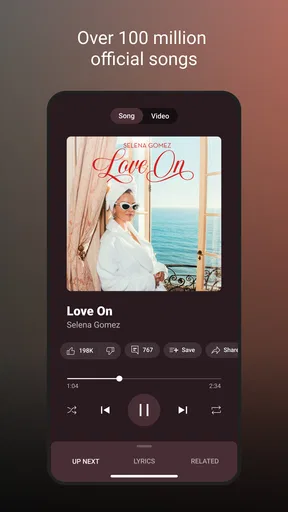
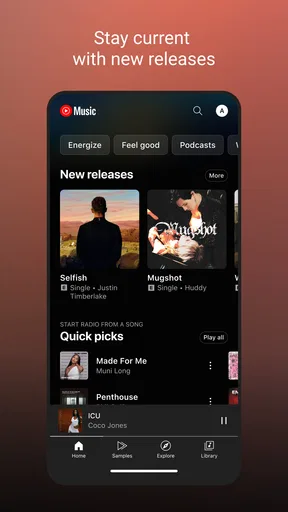
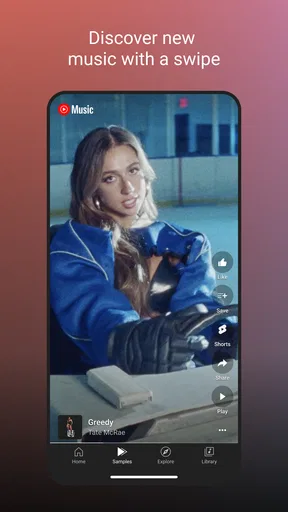
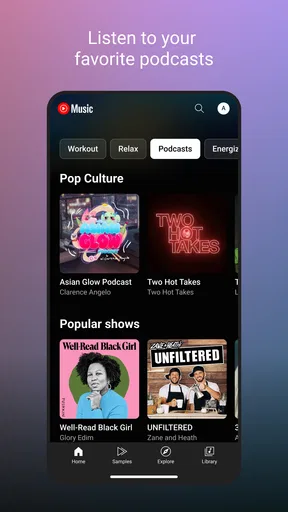
 Analysis by AppCompare
I use music apps in two different ways: to set the mood while I do something else, and to follow a song or artist down a rabbit hole. YouTube Music is especially good at the second job. Its mix of official releases and material associated with YouTube makes it feel less like a tidy record shelf and more like a place to explore. That’s exciting when I’m curious, though it can also make choosing the “right” version of a track less straightforward.
A useful starting point for curious listeners
As a free music and audio app from Google LLC, YouTube Music is easy to try without making a purchase first. It has a Teen content rating, and its large audience is reflected in an average rating of 4.5 from around 7.6 million ratings. Those numbers don’t tell me whether I’ll enjoy a particular recommendation, but they do suggest that this is a familiar, well-established option rather than a niche experiment.
The strongest reason I’d start here is access to variety. When I search for a song, I may be interested in the official recording, but I might also want a live performance, a remix, or another version connected to YouTube. That breadth is valuable for listeners who like comparing interpretations or finding music beyond polished album releases. It is less important if I only want a predictable catalogue of studio albums and a simple play button.
Guides and Analysis on YouTube Music
For a normal day, I might put on a familiar playlist while getting ready, then search for a live rendition of a song I heard somewhere. The app supports that change of direction naturally: I can move from background listening to active discovery without switching services. The trade-off is that results from a broad music ecosystem can require a little attention. I check the title and version before adding a track, particularly when several recordings appear similar.
Finding a rhythm in the making process
Although it is not a tool for producing or editing music, I find YouTube Music useful as part of a creative routine. A writer, designer, or video editor can use it to build a listening session around a task: familiar songs for routine work, lower-key selections for concentration, or more energetic tracks for a workout or commute. I treat the app as a source of listening material, not as a workspace for creating a finished audio project.
Recommendations become more useful when I give them a clear signal. If I’m exploring a new style, I’ll listen to a few tracks that genuinely fit what I want rather than leaving unrelated background music running for hours. That helps keep a listening session coherent. If I’m only trying to hear one particular artist, I search directly instead of expecting a mood-based mix to stay tightly focused.
One practical habit is to separate intentional listening from casual playback. When I want suggestions, I let a mix run and pay attention to tracks worth saving. When I need reliable background sound, I start with a playlist I already know. This avoids the common annoyance of a recommendation queue wandering away from the atmosphere I chose. It also gives me a simple way to decide whether the app’s discovery features are helping or merely adding noise.
Worth Reading Before You Choose

QuizzLand Review: A Good Fit for Short Trivia Breaks, Not Every Player

Basketball Stars: Multiplayer Is Fast, but Can It Recover When Matches Go Wrong?

WEBTOON Turns Phone Updates Into a Better Reading Routine

Link to Windows Runs on Shared Habits, Not Social Feeds

How Alibaba.com Dominates the B2B Marketplace

Metro's Quiet Rise: Redefining Mobile Communication
Iteration, versions, and recommendations
The app’s most interesting kind of iteration is personal: as I listen and refine what I return to, its suggestions can become more relevant. That is helpful when I want a stream of new-to-me music without building every queue by hand. It is not the same as precise control over a professional playlist or a collaborative editing process, so I would not choose it to manage music for a team project or to prepare a carefully timed public set.
Version choice is another small but meaningful part of the experience. A live recording can have a different mood from the studio track, and a remix may suit a workout better than the original. I check which version I’ve selected before saving it to a playlist; otherwise, a collection intended to sound consistent can shift unexpectedly. That extra check is worthwhile for listeners who care about the details, while people who simply want familiar songs may prefer a service where they rarely have to compare versions.
The breadth that makes discovery fun also creates a trade-off: not every result will feel equally polished or easy to identify. I use search when I know the exact recording I want, and recommendations when I’m open to surprises. That distinction keeps the app’s exploratory side from getting in the way of a specific listening plan.
Keeping music available and handing it off
For travel or patchy connections, offline listening can make a real difference. I prepare the music I’m likely to want before leaving, rather than waiting until a station or flight has already cut off a reliable connection. Automatic downloads can also provide a fallback selection, but I would still check that the particular playlist or tracks I care about are available offline before relying on them for a long journey.
Moving from a phone to another listening setup can make the app feel more convenient at home. Starting on one device and continuing on a smart speaker or TV is useful when I go from getting ready to relaxing in the living room. I would treat this as a listening handoff, not a creator export: YouTube Music is for playing and organizing music within the service, not for delivering edited audio files to a client.
Compared with a more conventional streaming app, the key distinction is the YouTube connection and the unusual range of performances and versions it can surface. A service centered on a carefully organized album catalogue may be a better fit if I want a more uniform, record-store-like experience. A video-first platform may be preferable when watching is the main point. YouTube Music sits between those habits, with audio listening at its center and video-related discovery close by.
It is free to install, but in-app purchases range from a few cents to amounts approaching a thousand dollars per item, so I would check any purchase screen carefully before confirming anything. The app’s free entry point makes experimenting easy, while the mention of premium listening in the experience means I would not assume every feature or listening condition is identical across access options. If uninterrupted background listening or a particular offline workflow matters to you, check the current plan details in the app before building your routine around them.
The Listening Experience
First things first, the listening experience on YouTube Music is pretty solid. The app offers a massive library of songs, and because it's tied to YouTube, you get access to a lot of live performances and remixes you might not find elsewhere. It’s like having a backstage pass to music you didn't even know you wanted to hear.
The sound quality is top-notch, especially if you're using premium. I found myself getting lost in the music, whether I was commuting, working out, or just chilling at home. The way it adapts to your preferences is pretty slick too. The more you listen, the better it gets at suggesting songs you'll love.
Interface and Usability
The interface is clean and intuitive, which is a big win for me. You don't need a manual to figure things out. Everything is laid out in a way that just makes sense. Browsing through different genres, albums, and playlists is a breeze. I love how easy it is to switch between audio and video modes too. Sometimes you just want to watch the music video, you know?
There’s also a cool feature where you can switch seamlessly between your devices. Start a song on your phone, and you can pick it up on your smart speaker or TV without missing a beat. It's like magic!
Personalization and Recommendations
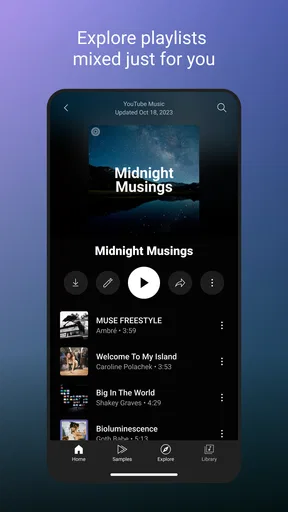
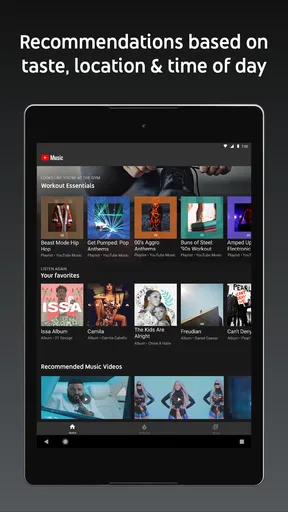
This is where YouTube Music really shines. The app learns what you like and starts suggesting playlists and artists that fit your vibe. It's almost like it reads your mind sometimes. I’ve discovered so many new artists this way, and it’s refreshing to have a streaming service that feels like it’s truly tailored to you.
There are curated playlists for every mood and moment, from "Chill Vibes" to "Workout Jams." Whatever your scene, there's something here for you. The "Discover Mix" is a personal favorite, always packed with tracks I end up loving.
Offline Features
Offline mode is a lifesaver, especially when you're on the go. You can download your favorite tracks and playlists to listen to when you're off the grid. It's super handy for those long flights or subway rides where Wi-Fi is just a dream.
Plus, the app automatically downloads a few songs it thinks you'll like, so you always have fresh music waiting for you. It's like a little surprise every time you open the app.
Who I’d recommend it to
I’d recommend this app to someone who enjoys searching beyond the standard album version, likes being introduced to artists, or already moves between music and music videos. It is also a sensible choice if you want one place for everyday listening, discovery, and offline preparation. The app has been around since November 12, 2015, and its reach—over 5 billion installs—shows how widely it is used, though popularity alone is no substitute for deciding whether its mix of content suits your habits.
I’d be less enthusiastic about it for someone who wants to make, edit, or publish audio. Despite the creative angle of building playlists and shaping a listening session, it does not replace a recording or editing tool. I’d also point a listener toward a more album-focused alternative if they rarely want remixes or live versions and find extra variants distracting. For someone who values a clean, exact discography more than discovery, that difference matters.
A few habits that make it work better
When I’m planning a commute, I download the specific playlist I expect to use rather than relying entirely on whatever the app has selected for me. I also start a download while I still have a dependable connection, then check the offline collection before setting out. This is a simple bit of preparation, but it prevents the frustration of discovering that a favorite queue is not ready when I need it.
For discovery, I treat recommendations as a starting point rather than a final verdict. If a suggested track catches my ear, I look at the artist and the version, then follow that thread deliberately. If a mix starts drifting away from the mood I want, I return to a saved playlist instead of repeatedly skipping and hoping the queue corrects itself. That keeps casual listening easy while still leaving room for new finds.
When I switch from audio to video, I do it because I want to watch, not because I assume every track needs a visual. The option is most useful when a performance itself is part of what I’m curious about. For background music, audio is usually the more convenient choice; for a live performance, the video can add context that a recording alone cannot.
Creator verdict
My overall view is that YouTube Music is best understood as a flexible listening and discovery companion, not a production suite. Its scale, recommendations, offline listening, and connection to video give it a distinctive place among music apps. The average rating of 4.5 reflects a strong reception, but individual satisfaction will depend on whether you enjoy exploring a broad mix of recordings or would rather have a narrowly organized library.
It is free to try, but the listed in-app purchase range runs from $0.05 to $999.99 per item, so I’d read purchase prompts carefully and confirm what an option includes before proceeding. The Teen rating is also worth keeping in mind for families choosing apps together. I would try it for a week of ordinary routines—commuting, chores, exercise, and deliberate music discovery—and notice whether the recommendations and version variety save time or make decisions harder.
Final Thoughts
All in all, YouTube Music is a robust streaming service that offers something for everyone. Whether you’re a casual listener or a hardcore music aficionado, it’s worth giving it a shot. The integration with YouTube is seamless, and the personalized experience makes it stand out from the crowd.
If you’re on the fence about trying out a new music app, I’d say go for it. You might just find your new favorite song—or artist—waiting for you.
Pros
- User-friendly interface for easy navigation.
- Extensive music library with diverse genres.
- Offline download feature for premium users.
- Seamless integration with YouTube videos.
- Personalized playlists based on listening habits.
Cons
- Ads can disrupt free user experience.
- Some features locked behind a paywall.
- Occasional bugs in app performance.
- Limited offline features for free users.
- High data usage on streaming without Wi-Fi.
FAQs for YouTube Music
What is YouTube Music and how does it differ from other music streaming services?
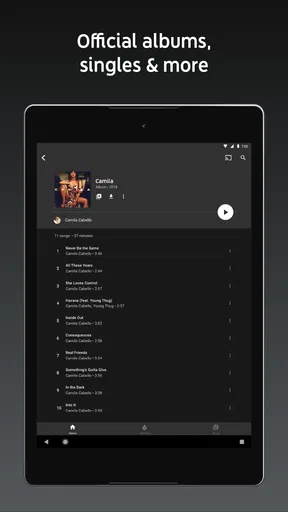
YouTube Music is a music streaming service developed by YouTube, offering a vast library of official songs, albums, playlists, and music videos, along with artist radio and a selection of remixes, live performances, and covers. Unlike other services, it integrates seamlessly with YouTube, providing access to a wide array of video content.
Is YouTube Music available for offline listening?
Yes, YouTube Music allows users to download their favorite songs and playlists for offline listening. This feature is particularly useful for those who want to save on data usage or listen in areas with limited internet connectivity. However, offline listening is available only to YouTube Music Premium subscribers.
What is the cost of YouTube Music Premium, and what features does it offer?
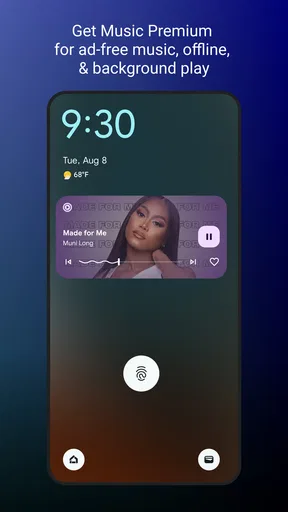
YouTube Music Premium subscription costs approximately $9.99 per month. It offers several features, including ad-free listening, the ability to download music for offline listening, and background play. Subscribers also enjoy seamless integration between the YouTube app and YouTube Music, enhancing the overall user experience.
Can I use YouTube Music without a subscription?
Yes, YouTube Music can be used without a subscription, but with certain limitations. Free users will experience ads between songs and have restricted access to some features like offline downloads and background play. The free version still provides access to the extensive music library and personalized recommendations.
How does YouTube Music personalize recommendations for users?
YouTube Music uses advanced algorithms to analyze listening habits, search history, and user preferences to deliver personalized music recommendations. It also considers trending music and regional preferences to tailor playlists and suggestions. This personalization helps users discover new music that aligns with their tastes.


